
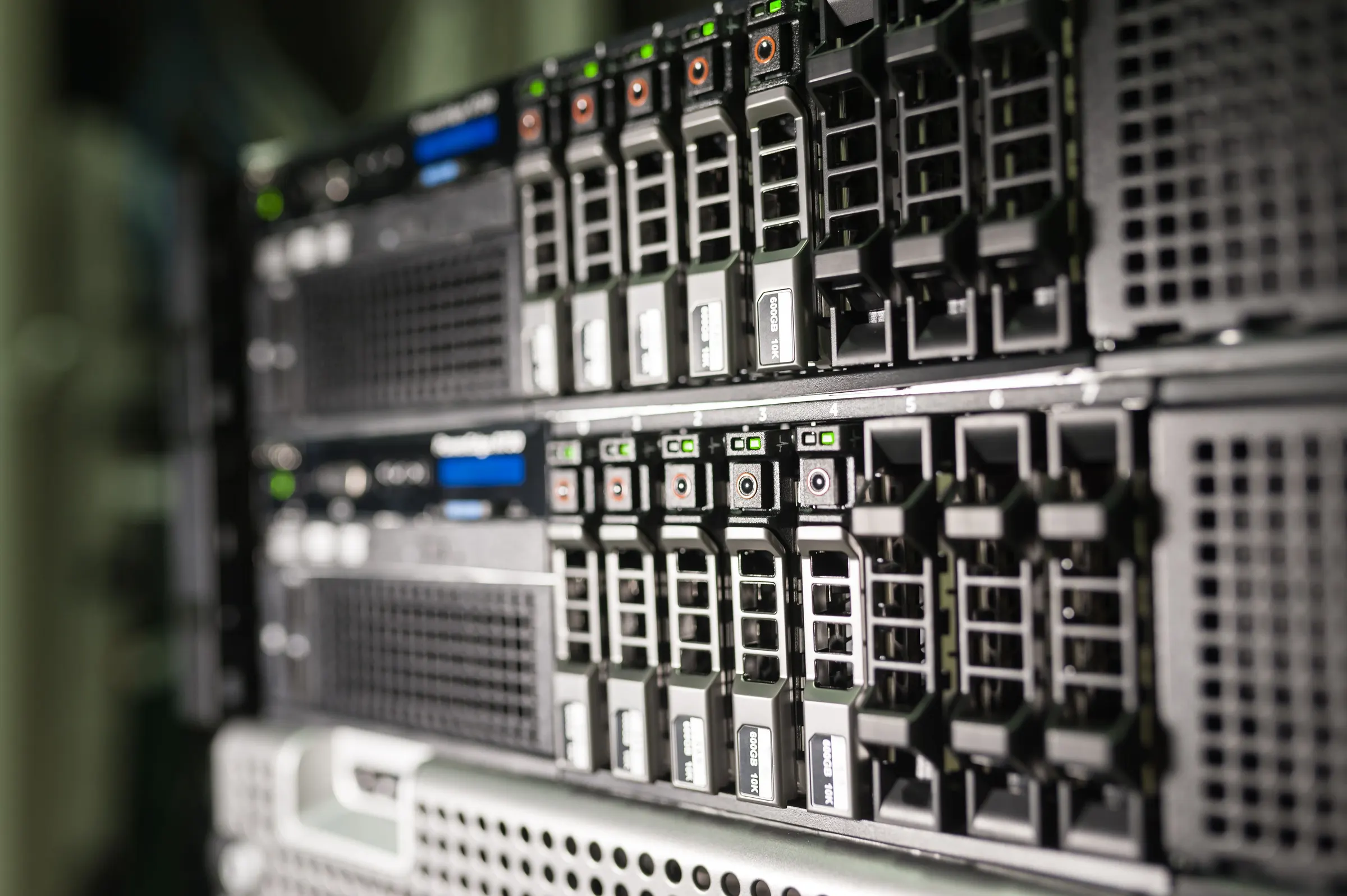
Those preparing for JNCIE eventually reach the same point: the practice environment is not “real” enough — recabling, re-IP-ing, re-doubting yourself every time. The package’s value is not the gear itself but one fixed environment: what you practise today is the same units, the same ports, the same baseline setup as last week.
Five things in the package
- Real gear: paired switching and firewall units, matched to the scale and generation you choose.
- Rack and mounting hardware: practice is not piled on the floor. With a rack, cables run straight and ports are numbered clearly.
- Cables and console: the types you actually use; not a box of unused cables dressed as “comprehensive”.
- Baseline setup: management access, time sync, basic interface naming, setup backup method — ready to practise on power-on.
- Topology notes: port mapping, connection diagram, naming rules. This matters more than the gear — someone taking over can still read it.
We do not attach study material, question banks, or handle exam registration. This is an environment, not a course.
Four specs to settle before ordering
| Spec | Why it matters | Common choices |
|---|---|---|
| Scale | Decides how many units, how many ports, whether lab scenarios can run through | A pair (minimum practicable)/four or more (multi-segment topology) |
| Generation | Decides tone, commands and feature differences; generations differ a lot | Your exam generation first, budget second |
| Dual-unit form | Combinations like Virtual Chassis or Chassis Cluster need “a pair” to practise well | A pair of switches/a pair of firewalls/both |
| Management method | Decides whether you spend five minutes or half an hour on sitting down | Central console/out-of-band management/both in parallel |
The clearer these four, the closer the quote is to what you want. Conversely, saying only “a JNCIE practice kit” leaves us guessing.
Why JNCIE practice often needs “a pair”
Multi-unit technologies (switch stacking, firewall active-backup) cannot be practised on a single unit: what you watch is not whether the command takes effect, but synchronisation between the two, failover, and behaviour after failure. The easiest illusion in single-unit practice is “I understood it”; a second unit joins and you find the state did not line up.
So when we put a package together, the default thinking is “paired”: a pair of switches, a pair of firewalls, or both pairs. Single units are configured only when you explicitly say “single-unit first”.
As for what the exam actually covers, follow the OEM’s published exam blueprint; we do not define the exam scope for you.
Models: current reality and how we verify
This page does not list a model inventory. The reason is not conservatism; it is responsibility:
- Lab equipment turns over. Copying a list from years ago onto the web means letting you misunderstand once before ordering.
- Series listed on the old page, such as EX4200, SRX210, SRX240, are generations EOL for years. We do not write them as current stock, nor feature them as a “special package”.
- If you specify a generation (for example, your exam content maps to an older platform), we check what is actually available at the time and reply “yes”, “no”, or “how long to wait”.
- The quote carries an itemised equipment list: model, port configuration, accessories, condition. Missing accessories are flagged, not mentioned afterwards.
Building a practice environment on a “newer but not latest” generation can be discussed too — the point is that your practice content lines up, not that the model looks impressive.
Package boundary: what it does not include
- No teaching: no instructor, no classroom, no schedule. If you want someone to walk you through it, that goes through engineering services, not this order.
- No question banks or past papers: not provided, not resold.
- No OEM exam registration or exam fee.
- No OEM support contract: whether OEM support on used gear (Care class) can transfer depends on original registration and terms; we do not guarantee transfer.
These four are stated up front because the most common misunderstandings sit here.
Handoff, racking and warranty
- Handoff: self-collection or local delivery can be arranged; cross-border shipping, export controls and local regulations are handled case by case, detail in the terms of service.
- Racking: you can take gear only, or have rack, cabling and baseline setup done before handover. The latter costs more, but you sit down and practise.
- Warranty: used/refurbished gear generally 3–6 months, per the quote and terms in practice. For practice-use machines, the focus is “stable boot, ports working, console reachable”; this is confirmed before dispatch.
- Not guaranteed: no guarantee a specific model stays in stock long term; no guarantee a second unit of the same batch and version can be completed; no guarantee OEM firmware can be upgraded freely.
How to expand later
- Add a unit: same generation and version match best; we first confirm which version your existing unit is before matching.
- Add ports or modules: add interfaces your lab scenarios need; we do not recommend buying a pile of unused modules first.
- Add a second set: if a team of several practises in rotation, add another rack and cable set; baseline setup keeps the same naming rules to reduce interference.
- Upgrade generation: the old package need not be discarded; it can stay as a comparison environment — often “how old gear behaves” is itself practice content.
Buy the package, or rent a session
| Your situation | Suggestion |
|---|---|
| One exam only, two or three weeks’ pre-exam cramming | Rent a session (certification lab), no need to buy |
| Long-term practice, same environment every time | Buy the package, fix it once |
| A team of two or three practising in rotation | Buy the package plus a second rack set, or rent a fixed session |
| Want to verify one concept first, unsure whether to buy | Rent once, then decide |
This is not sales talk; it is the actual cost structure: rental money goes to time, purchase money goes to gear and space. Work out how long you intend to practise, and the answer follows.
Next step
For a quote, email [email protected] with these five items:
- The generation you practise (or the exam subject you sit).
- How many units: a pair, two pairs, or more.
- Whether you need a multi-unit form such as Virtual Chassis/Chassis Cluster.
- “Gear only”, or “rack, cabling and baseline setup done together”.
- Handoff region and time.
We reply with an itemised list and quote, not a catalogue.
Warranty and licence: used/refurbished gear generally carries 3–6 months’ warranty, per the quote and terms in practice; new gear follows OEM warranty. OEM support contracts (Care class) and licences on used gear may not transfer; confirm against original registration and terms. The equipment list follows what is actually available at quoting; no specific model is guaranteed for long-term supply. Transactions are governed by Hong Kong law; resale or export of individual models is subject to export controls, detail in the terms of service.